A manga maker that never draws for you
MangaForge is a manga maker without AI image generation. You plan the story, draw the storyboard, lay out the pages and make every mark yourself. This page says exactly what that means, what stays private, and the one separate service that does use a model.
What “no AI” means here
People use “AI-free” to mean different things, so here are the specifics. They match our Privacy Policy and Terms of Service.
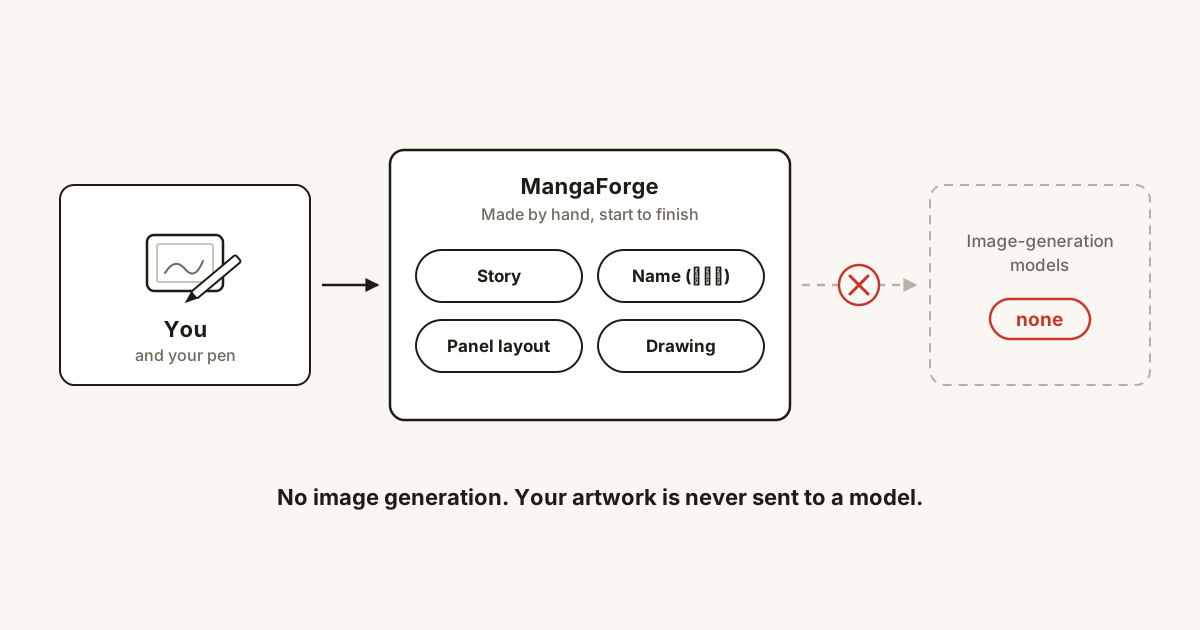
- Nothing generates art. MangaForge has no image generation. Every mark on your page is one you made, and nothing plans a page on your behalf.
- Your work is not sent to a model. The story canvas, the storyboard and the drawing editor do not use a language model. Nothing you make in them is sent to a third-party AI provider: not a scene, not a line of dialogue, not an image.
- We do not train on your work. We do not use it to train, fine-tune, evaluate or benchmark any machine learning model, and we do not license, sell or provide it to anyone for that purpose.
If you are looking for a manga app with no AI art tool inside it, that is the whole design: a place to make manga by hand, built around the people who draw it.
What MangaForge does instead
MangaForge is an online manga maker for human-made manga. The tools are for planning and drawing, and the decisions stay with you.
- Story planning. Plan the story on a node canvas, scene by scene.
- Name (ネーム). The storyboard view is where you draw each chapter by hand, one spread at a time. There is no feature that draws it for you. See how to make a manga storyboard.
- Panel layout. Komawari treats the panels on a page as one mesh, so you can move a border and balance the whole page. See manga panel layout.
- Drawing tools. A drawing and page-layout editor in the browser, with export for print-ready chapters. See manga page size and print specs.
- Collaboration. You can share your work with collaborators you invite and work on the same manuscript together.
What stays private
You keep full ownership of everything you create, upload or import. We store your work so the product functions. We do not read it, mine it, or use it to build anything. Diagnostics sent to our error tracker contain code errors and technical context, not the content of your work, and usage counts carry no title, text, file name or artwork.
The details are in the Privacy Policy and the Terms of Service. The no-training commitment is a term of the agreement between us, not a marketing line. If it ever changed, it would apply only to work created afterwards, only with your explicit opt-in, and we would tell you directly.
What does use a model, and what doesn’t
“No AI” would be an overstatement, so here is every exception in plain terms.
Translate
Translate is an optional, separate service that translates manga pages you upload and letters the translation back onto them. It is for works you own or have licensed. It works only on files you upload to it, and nothing in your stories, storyboards or drawings goes to it unless you upload it there.
- Finding balloons, reading Japanese text, erasing the original lettering and setting new text are done on our own service by models and code we run ourselves.
- The text read from your pages, plus any glossary or note you add, is sent to Google’s Gemini API to be translated. For a source language our own reader cannot read (at present, Turkish), cropped images of each piece of lettering are sent, one balloon at a time. On the Pro tier, reduced-size images of the pages being translated are also sent.
- Translate uses the paid Gemini API tier, under which Google does not use submitted content to train its models. We do not train anything on your pages or translations either.
- Uploads and results are deleted 30 days after the job finishes, or sooner if you delete the job.
Layer separation
One drawing tool runs image models to split a picture you choose into line art and tone layers. Those are models we run ourselves, on our own processing service. The picture is processed there and the layers come back to you. That service does not keep it, and it goes to no outside AI provider.
What is not a model
Picture search on lore boards finds existing pictures from Openverse, Pexels and Brave Search using only the words you type. It does not make pictures.
Questions people ask
- Does MangaForge use AI anywhere?
- Two places, both described above. Translate, an optional separate service, sends the text of pages you upload to it to a third-party language model. Layer separation, a drawing tool, runs image models that we operate ourselves to split a picture you choose into line art and tone layers. The story canvas, the storyboard and the drawing editor send nothing you make to a third-party AI provider.
- Is my artwork used to train models?
- No. We do not use your work to train, fine-tune, evaluate or benchmark any machine learning model, and we do not license, sell or provide it to a third party for that purpose. This is a term of the Terms of Service.
- Can MangaForge generate pages, panels or characters for me?
- No. MangaForge has no image generation and does not generate artwork. Nothing draws or plans a page on your behalf.
- Did MangaForge ever send scene text to a language model?
- Until 2 October 2026, staging a storyboard page sent the written text of a scene to Google’s Gemini API, which returned a suggested shot list. That feature has been removed.
- Is picture search an image generator?
- No. Picture search on lore boards finds pictures that already exist and shows where each one came from. It does not make pictures, and it runs only when you type a search.
MangaForge is in beta. Already have an account? Sign in.