6 tips for lineart that does not look stiff
When digital lineart looks stiff, it is rarely your hand. It is usually the brush: a line of constant width, a pen that ignores pressure, ink laid straight over a busy sketch. These six fixes come from one real inking session by Osman in MangaForge, and each one is a setting or a habit you can change today.
1. Taper every stroke
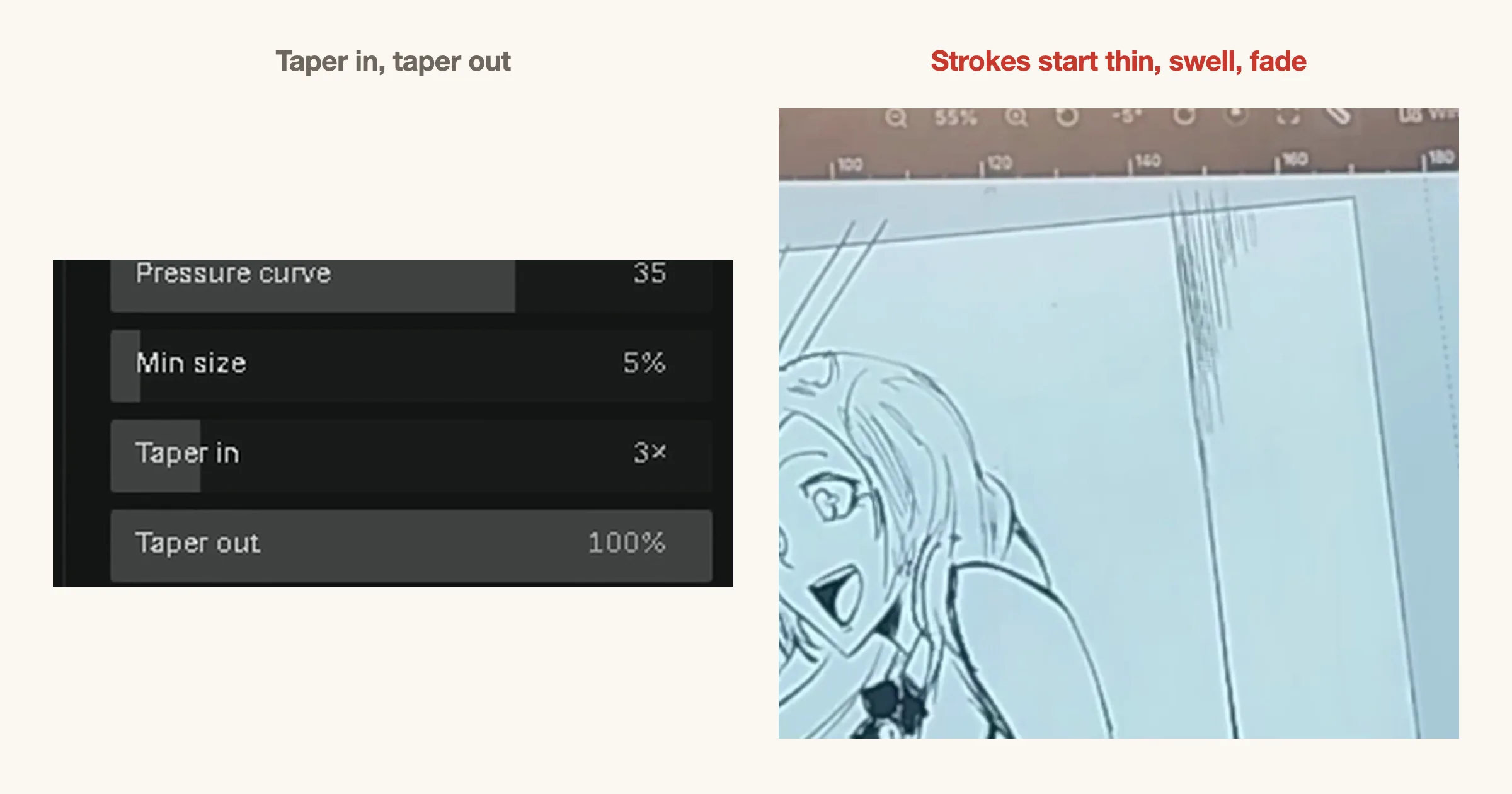
A line that is the same width from end to end looks mechanical. Real ink lines start thin, swell in the middle and fade out at the end. Turn on taper in the brush settings and every stroke does this on its own, without you slowing down or flicking your wrist.
In the footage the brush uses a taper in of 3× and a taper out of 100%. Start there, then adjust until the line ends feel right for your hand.
2. Use a pen that answers to pressure
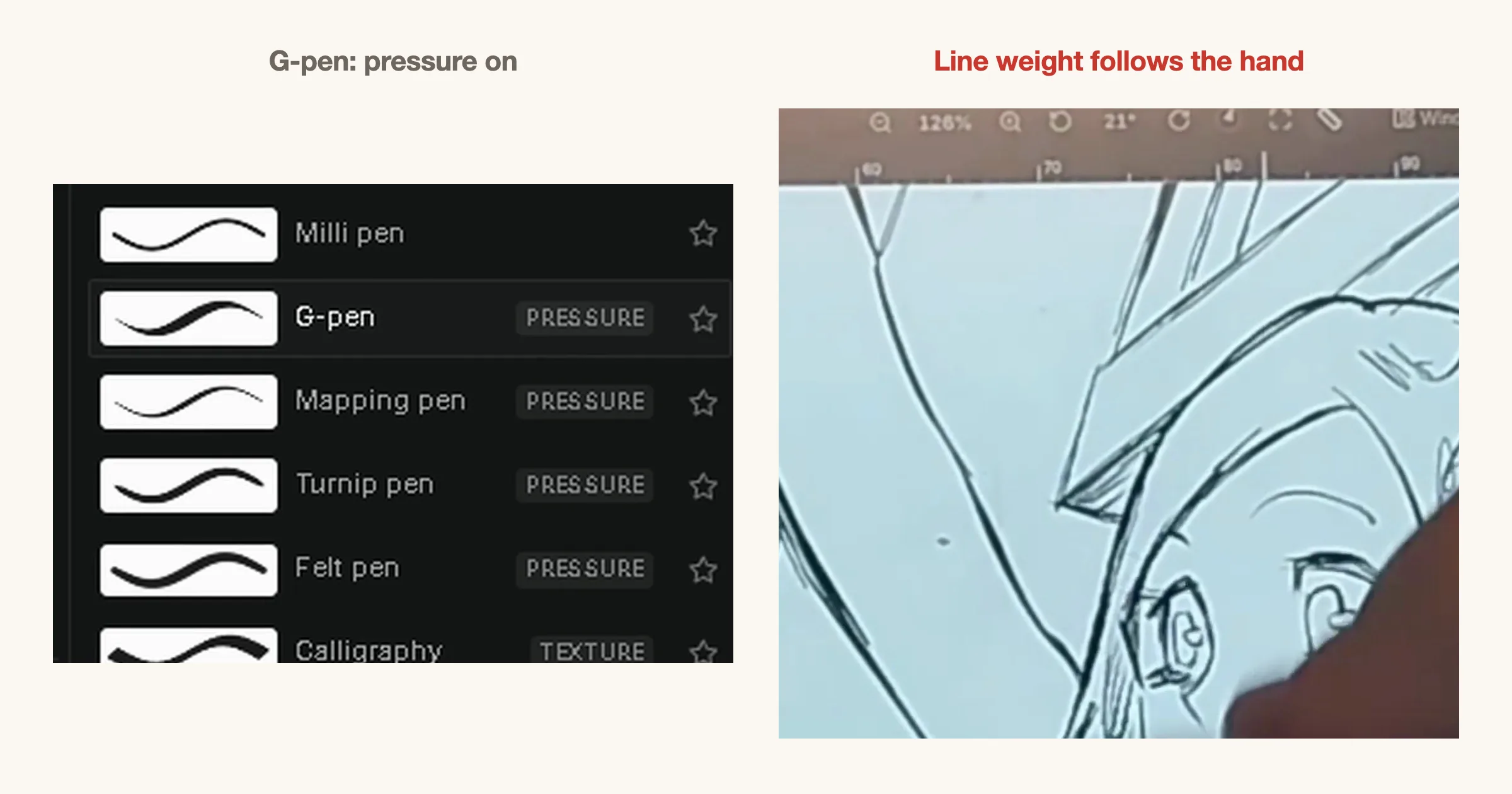
Lineart gets its life from changes in weight. A pen that responds to pressure lets one stroke be heavy where it needs to hold the shape and light where it lets go. The G-pen is the standard choice for manga for that reason, and in the brush list it is tagged Pressure.
Texture brushes like the marker are fine for tone and effects, but they are a poor default for the main line.
3. Press hard outside, go light inside
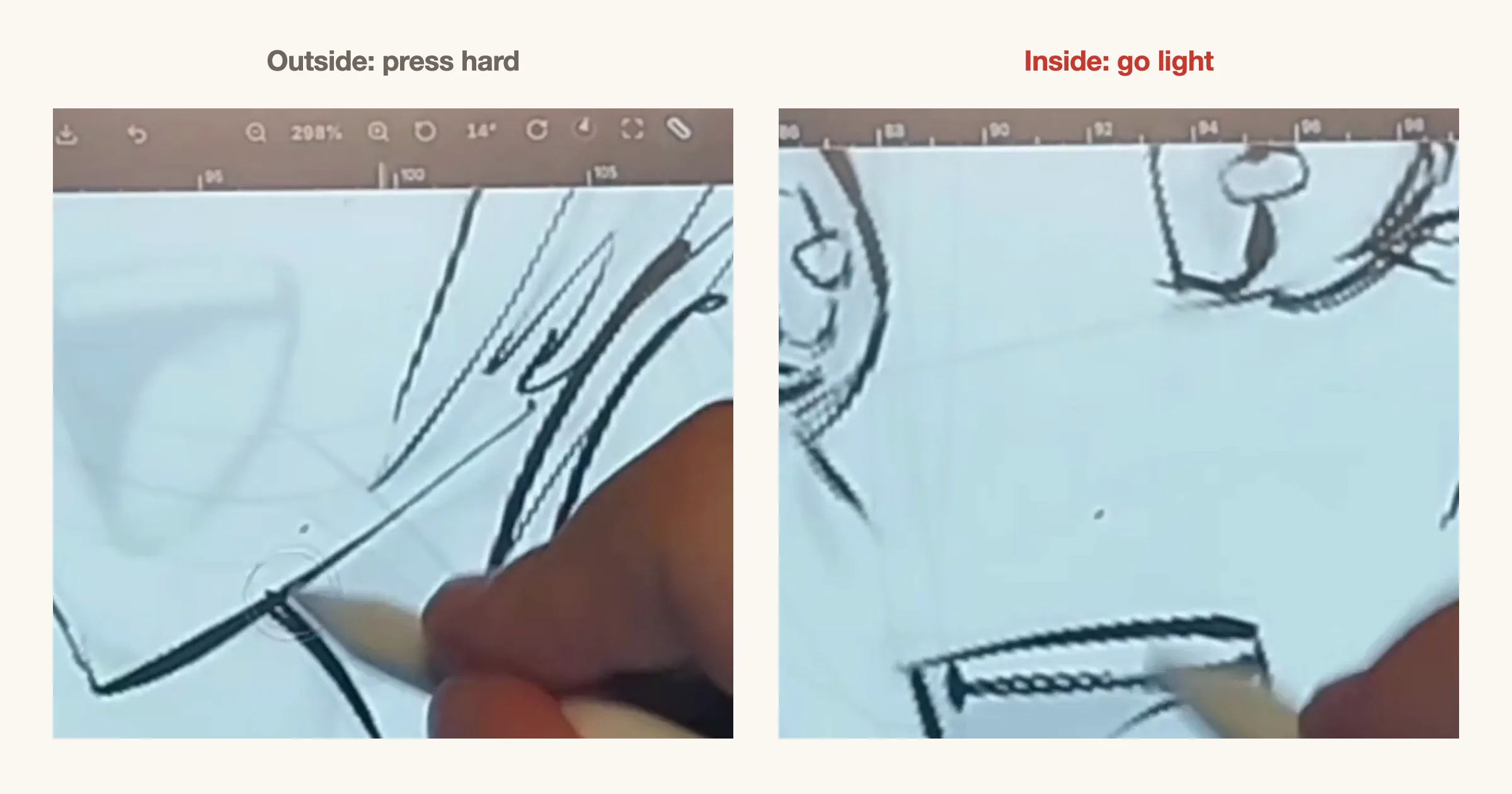
Draw the outer contour of a shape with firm pressure, and the lines inside it with a lighter touch. The heavier outline pushes the form forward and the thin interior lines sit back, which gives a flat drawing a sense of depth without any shading.
The same rule works on a face: a heavy jaw and hairline, light creases and eyelid lines.
4. Ink on a new layer over a faded rough
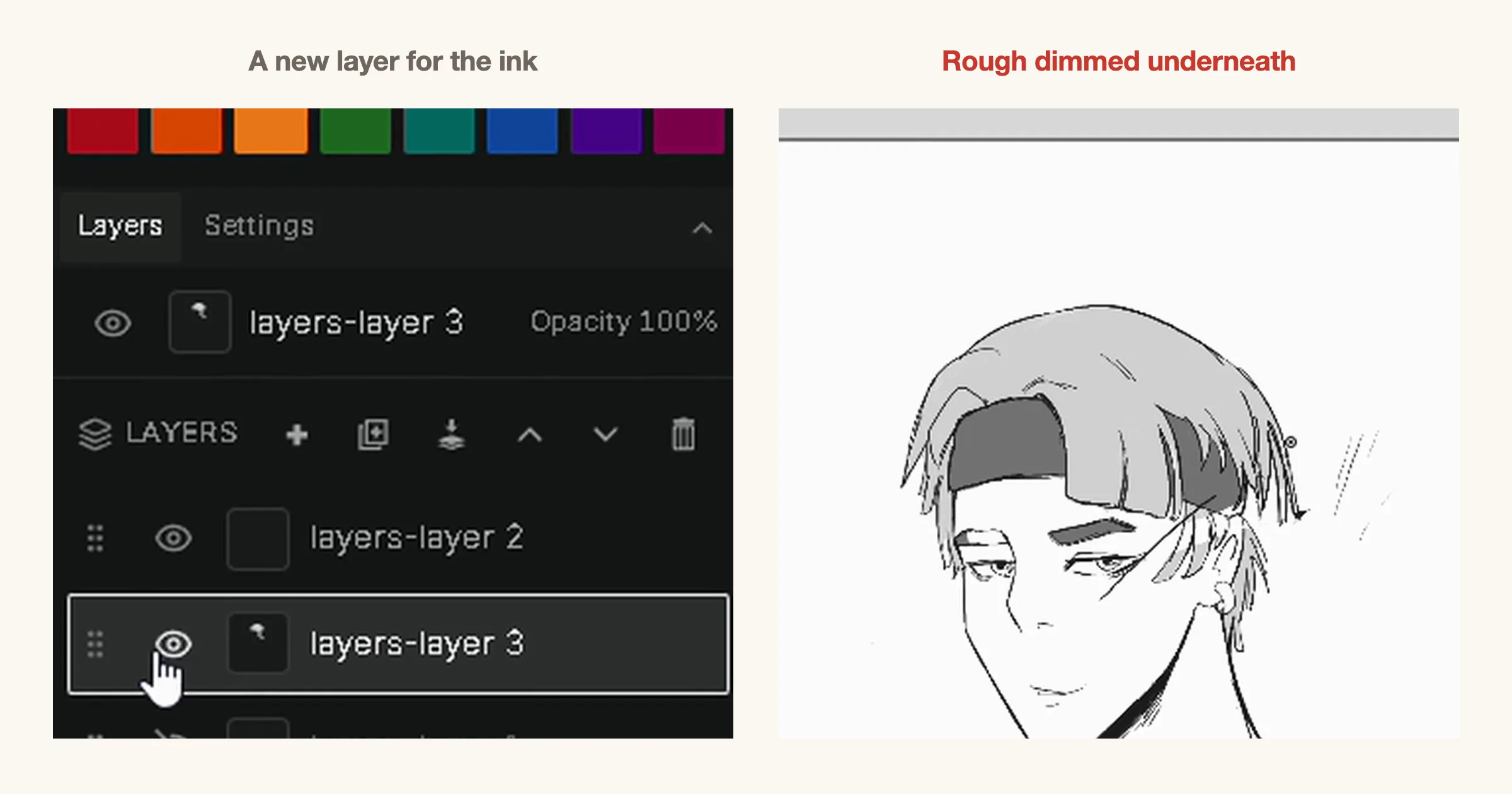
Do not ink on top of the rough. Make a new layer for the lineart, lower the rough layer to a low opacity so it is a pale guide, and trace over it. Your ink stays separate, so you can erase, redo or nudge it without damaging the rough, and the rough does not fight your lines for attention.
Name the layers if you can; a page with a rough, an ink layer and a tone layer is much easier to fix than one flat drawing.
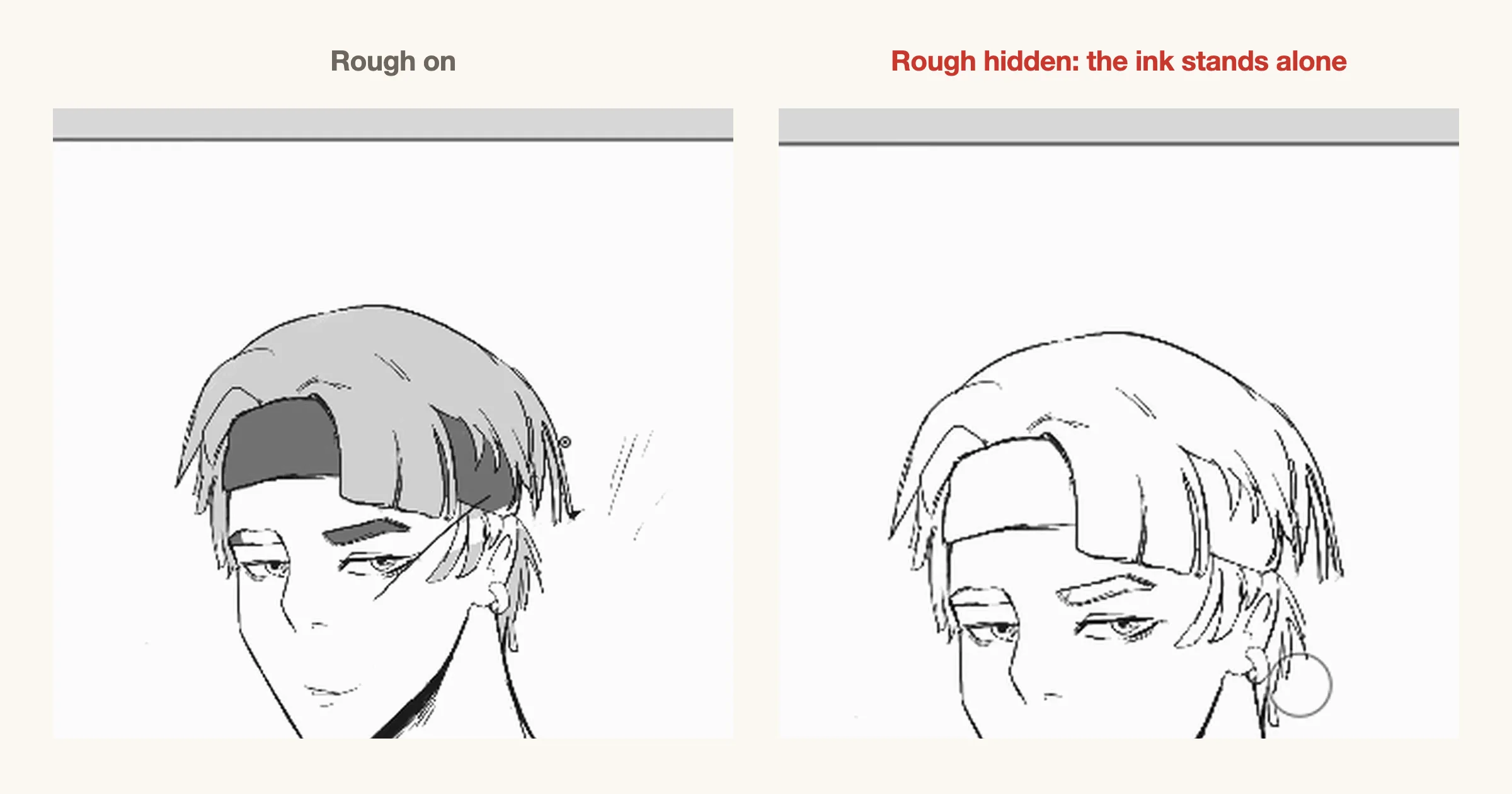
5. Hide the rough to check the ink
When the inking is done, switch the rough layer off. If the ink on its own still reads as the drawing, with the face, the hair and the folds all clear, you are finished. If something falls apart, that is a line you were leaning on the rough to explain.
It takes one click, and it is the fastest way to see what the reader will actually see.
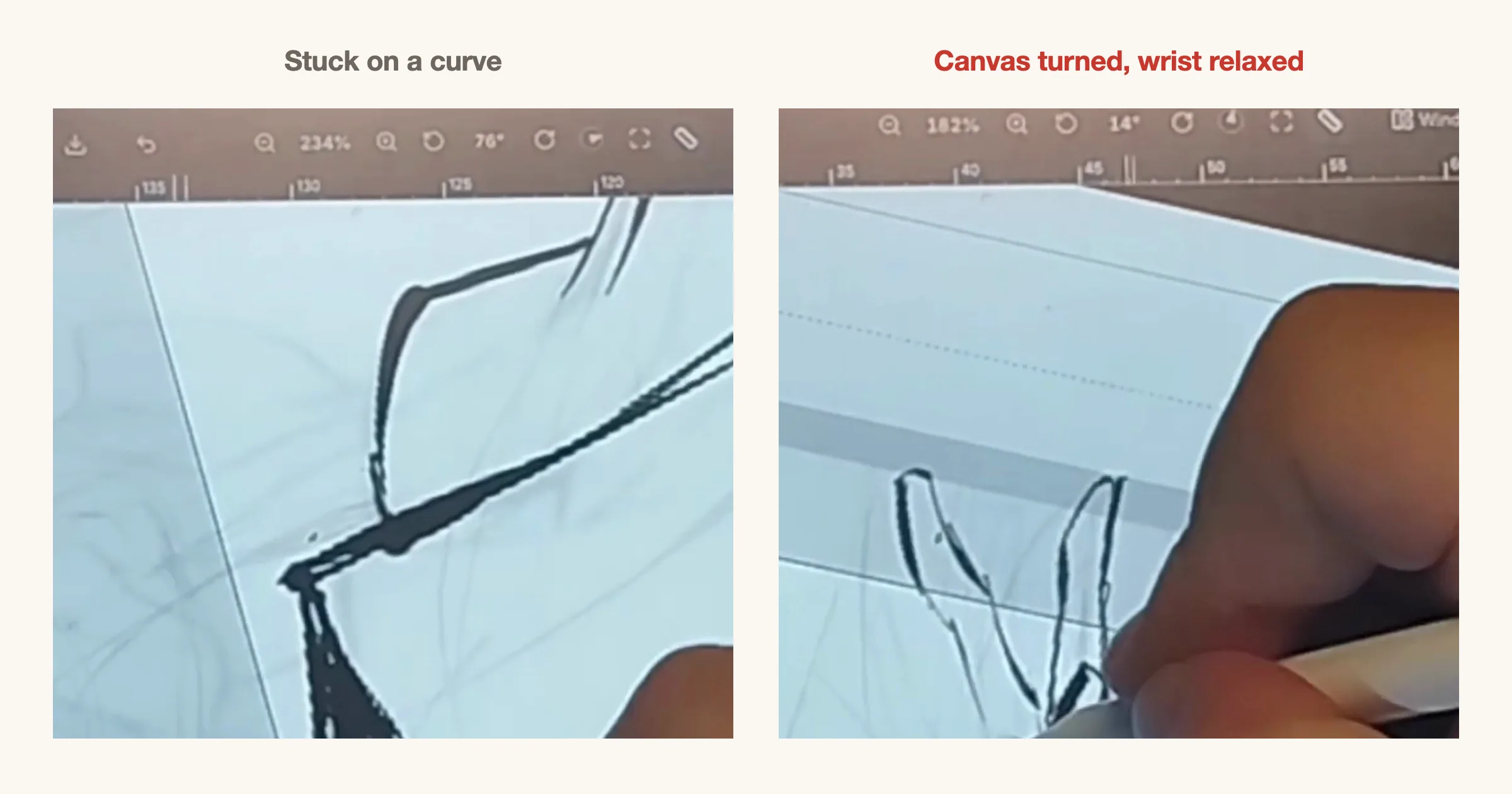
6. Turn the canvas, not your wrist
Everyone has an angle their hand draws a smooth curve at, and an angle it does not. When a curve fights you, do not twist your wrist into it. Rotate the canvas until the stroke runs the way your hand already moves, then draw it.
Your lines come out cleaner and your wrist stays relaxed through a long session. For more on the stages around inking, see the 8 tips for better manga pages and the 7 tips for manga action scenes.
Check your lineart in one minute
- Does every stroke start thin, swell and fade out?
- Is your main line a pressure pen such as the G-pen?
- Are outer contours heavier than interior lines?
- Is the ink on its own layer, with the rough at low opacity?
- Does the ink still read when the rough is hidden?
- Did you turn the canvas for the curves that felt awkward?
Try these in MangaForge
MangaForge is a browser-based manga studio in beta. It does not generate artwork: you draw every line yourself, as Osman did here. The brush list, taper and pressure settings, layers with opacity and canvas rotation are all in the drawing surface, alongside the storyboard and panel tools.
Frequently asked questions
- Why does my digital lineart look stiff?
- Usually because every line is the same width and the pen is not reacting to your hand. Use a pressure-sensitive pen like a G-pen, turn on taper so strokes start thin and fade out, and vary pressure between outside and inside lines.
- What is taper in digital inking?
- Taper makes a stroke thin at the start, thicker in the middle and thin again at the end, like a brush or dip pen line. Taper in controls the start, taper out controls the end.
- Should I ink on the same layer as my sketch?
- No. Put the ink on a new layer above the sketch and lower the sketch to a low opacity. You can then erase and redo the ink without losing the rough, and hide the rough to check the lineart on its own.
- What is the best brush for manga lineart?
- The G-pen is the traditional choice: it responds to pressure, so lines get heavier and lighter as you draw. Pressure-sensitive pens like it are better main-line brushes than texture brushes.
MangaForge is in beta. Already have an account? Sign in.